
How the two of you began
Tell the story before you ask
Make a proposal website
Lead them through the moments that brought you here, then give the question the final screen it deserves.
Build privately. The recipient needs no account.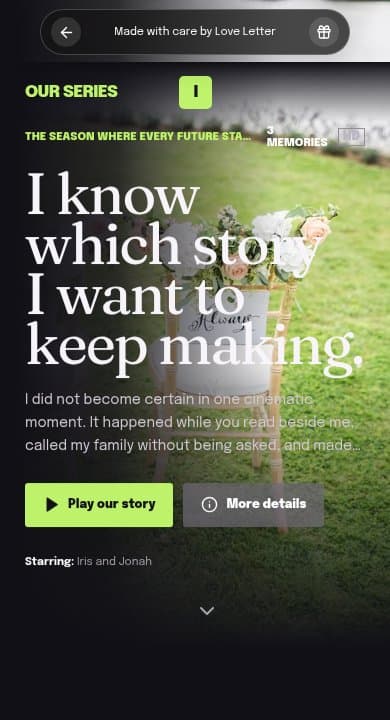
What could yours say?
Words for the moment before the question
I used to think the important moments would always announce themselves. But it was you bringing dinner after that long day, making room for my family, and laughing with me when our plans fell apart. I want to keep building that ordinary, lovely life with you. Will you marry me?
Change the three memories to your own. If you plan to ask in person, put the question in your final message and turn off the reply section so the moment belongs to the two of you.
Make it in Our Series
Choose the chapters that led here
Use Our Series to tell three or four real memories as episodes. Add a caption to each photo explaining why that moment changed how you saw your future together.
Decide where the question belongs
Write the question in the closing message, or use the question section if you want an on-page reply. Keep every response option honest, including room to talk or take time.
Rehearse the way you will share it
Publish, then test the link or downloaded QR code on the phone you will use. If you choose password protection on a permanent page, check that flow too before the occasion.
What to include
Start with details only the two of you know.
The turning points that made you certain
Photos with private context
A letter about the future
The proposal as the final reveal
A link or QR code to present in person
Why it works
The question means more with its history
A proposal page should support the real moment, not replace it. It can hold the story and words you want them to remember while you decide whether to open it together or send it before the question.
Ideas to make it yours
Three places to begin.
The evidence
Choose three moments that changed love from a possibility into a decision.
What I am asking for
Describe the ordinary future too: homes, routines, bad days, family, and growing older.
Place the reveal
Use a QR code inside a book, card, photo album, or location that already matters to you.
Questions for this gift
Before you start
Does the page force a yes?+
No. There are no manipulative buttons or fake choices. Your final message is presented honestly.
Can I keep the proposal hidden?+
Use an unlisted link or password protection, and share it only when ready.
Can I rehearse the whole experience?+
Yes. Recipient preview is available throughout editing.
A little help with the words and details
Make the version only you could make.
The complete editor and recipient preview are free to use before you publish.
Create your page